Work tool
Team Planning
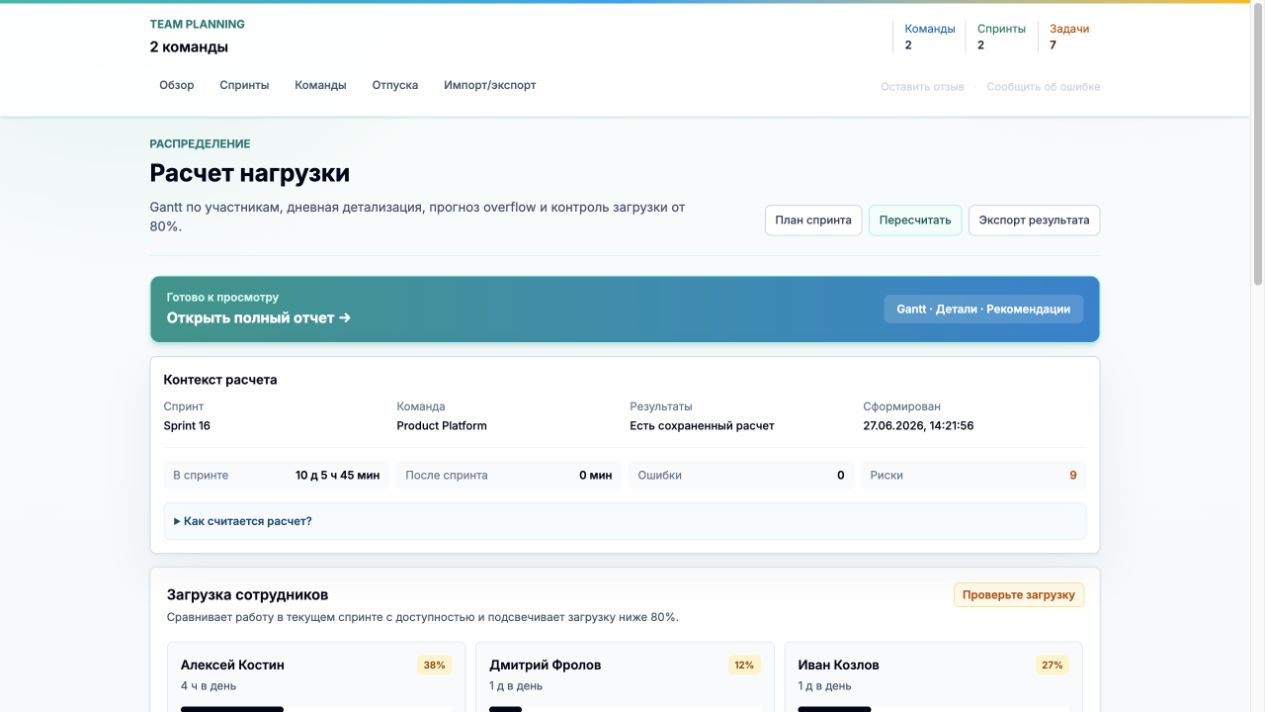
The tool helps understand whether sprint scope fits, where the team is overloaded, which dependencies affect timing and how the work schedule looks day by day.
Inside
- Capacity calculation based on working days, meetings, vacations and member availability.
- Plan visualization in a Gantt view with risk highlighting.
- Shareable reports for team review.
- Everything runs locally in the browser: no backend, accounts or server-side storage of planning data.
Key points
Gantt
task timeline
Capacity
team load
Reports
shared output
Product view
Team Planning
The tool helps understand whether sprint scope fits, where the team is overloaded, which dependencies affect timing and how the work schedule looks day by day.
Functionality
Features
Capacity-aware calculation
Working days, daily availability, meetings, vacations and non-release days are included to keep the plan close to real team capacity.
Dependencies and stages
Tasks are split by work streams: dev, QA, documentation, design review and release support.
Planning risks
Overload, underload, sprint overflow and questionable calculation points are highlighted separately.
Shareable reports
The result can be opened by a separate link and shared with the team without registration or installation.
Client-only and confidential
The calculation runs on the client without a backend or server storage. Team composition, estimates and plan data stay local to the user.
Workflow
From team composition to report in a few steps
The scenario follows a real planning process: first the team capacity is configured, then the sprint is filled, and then the algorithm calculates the schedule and returns the result as a report.
- 01
Describe the team
Add members, roles, daily availability and recurring meetings.
- 02
Build a sprint
Add tasks, estimates, work streams, epics and dependencies.
- 03
Run allocation
Get member load, overflow forecast and a Gantt view by working days.
- 04
Open report
Share a link with colleagues or export the result for further work.